
Why the panel matters more than the refresh rate
Two monitors with the same size, resolution and refresh rate can look completely different because of what sits behind the glass. The panel type sets contrast, motion clarity, viewing angles, and whether the HDR badge on the box means anything. KOORUI Pakistan sells all four types; here is how they compare.
IPS and Fast IPS
IPS is the default for a reason. It has the best viewing angles of any LCD (178 degrees with no color shift), accurate color out of the box, and moderate contrast of about 1000:1. Black is a dark grey in a dark room; in a lit room you will not notice. Standard IPS responds in around 5 ms, fine for work and casual gaming. Fast IPS brings that down to 1 ms and is what competitive gaming monitors use. Examples: the KOORUI G2511P (24.5-inch, 1080p 200Hz Fast IPS, from Rs 37,999), the G2721P (27-inch, 1440p 200Hz Fast IPS, from Rs 61,999), and for work the N07 (27-inch 4K 60Hz IPS, from Rs 58,999), where angles and color matter more than speed.
VA
VA trades angles for contrast. Blacks are three to four times deeper than IPS, at 3000:1 or more (the E2712K is rated 4000:1), so dark games and films look richer. The cost is slower dark-to-dark transitions, seen as faint smearing behind dark objects in fast motion, and some contrast loss at the edges of a large flat panel viewed up close, which is why most VA monitors are curved. Examples: the E2712K (27-inch, 1080p 144Hz, flat, from Rs 35,999), the 32E6QC (31.5-inch, 1440p 170Hz, 1500R curve, from Rs 69,999), the G3221SC (same size and curve, from Rs 69,999, on our next shipment) and the ultrawide G3441XC (34-inch, 240Hz, from Rs 98,999).
OLED and QD-OLED
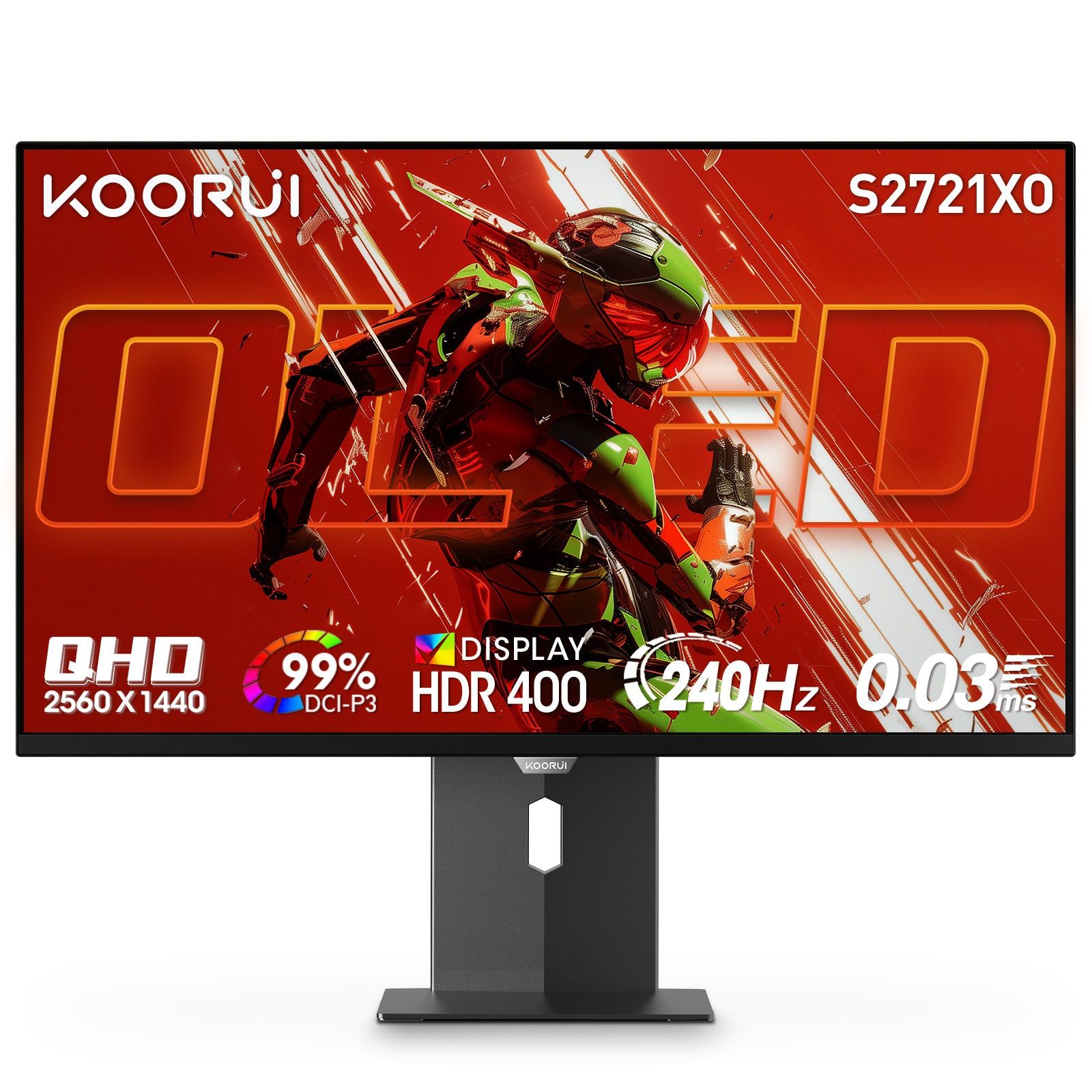
OLED has no backlight. Each pixel makes its own light and switches fully off for black, so contrast is effectively infinite, response is about 0.03 ms with no smearing at any speed, and viewing angles match IPS. QD-OLED adds a quantum-dot layer for wider, brighter color. It is the best-looking panel for games and films, priced accordingly: the S2721XO (27-inch, 1440p 240Hz, from Rs 173,999) and the S3241XO (31.5-inch, 4K 240Hz, from Rs 304,999).
Two honest caveats. Brightness is rated at 280 nits, lower than Mini LED, so a sunlit room is not its best home. And static content shown for hours every day (the Windows taskbar, a game HUD, a docked chat window) can leave a faint permanent ghost (burn-in). KOORUI’s policy: image retention caused by static content is not covered by the warranty (see the warranty terms). The habits that prevent it are simple: auto-hide the taskbar, use a screen saver or let the display sleep after a few minutes, and vary what you watch and play.
Mini LED
Mini LED is still an LCD, IPS in KOORUI’s case, but the backlight is split into hundreds of independently dimmed zones. Behind dark parts of the picture the zones turn down or off, so contrast climbs far above a normal IPS while bright parts get brighter than an OLED can go. There is no burn-in, because the pixels do not make their own light. The trade-offs are a faint halo around small bright objects on black, such as white subtitles, and a higher price. KOORUI models: the S2721PM (27-inch, 1440p 200Hz, HDR1000, from Rs 89,999, on our next shipment) and the S2741LM (27-inch, 4K 160Hz with a 320Hz 1080p dual mode, HDR1400, from Rs 139,999).
HDR: what the badge really means
HDR400 on an IPS or VA panel means the monitor accepts an HDR signal and can peak briefly around 400 nits. Without local dimming it cannot make bright and dark coexist in one frame, so HDR content often looks flatter than SDR. Treat it as a label, not a feature; the G2511P, G2721P and G3441XC carry it and are good monitors for other reasons. HDR10 on the N07 and 32E6QC is the same: signal support, not a deeper picture. Real HDR needs per-pixel light (the S2721XO and S3241XO, HDR True Black 400) or hundreds of dimming zones (the S2721PM at HDR1000, the S2741LM at HDR1400). If HDR is why you are upgrading, those four are the ones that will show it.
| Panel | Contrast | Response | Viewing angles | HDR | Burn-in risk | KOORUI models |
|---|---|---|---|---|---|---|
| IPS / Fast IPS | About 1000:1 | 1 ms (Fast IPS), about 5 ms (standard) | Best of any LCD | HDR400 or HDR10 label only | None | G2511P, G2411P, G2721P, G2741L, N07 |
| VA | 3000:1 or more | 1 to 4 ms, slower in dark scenes | Good; edges shift on large flat panels | HDR10 or HDR400 label only | None | E2712K, 32E6QC, G3221SC (next shipment), G3441XC |
| QD-OLED | Effectively infinite | 0.03 ms | Excellent | Real: HDR True Black 400 | Yes, from static content (not covered) | S2721XO, S3241XO, S4941XO |
| Mini LED | Very high with local dimming on | 1 ms | Same as IPS | Real: HDR1000 to HDR1400 | None | S2721PM (next shipment), S2741LM |
Which one should you buy
- Competitive gaming, or a first good monitor: Fast IPS. The G2511P at 24.5 inches or the G2721P at 27 inches and 1440p. Fast, accurate, nothing to look after.
- Films, dark single-player games, the most screen for the money: curved VA. The 32E6QC gives 31.5 inches of 1440p with deep blacks.
- Bright room, real HDR, static windows open all day: Mini LED. The S2741LM now, or the S2721PM from our next shipment, with no burn-in to think about.
- The best picture, full stop, and you will follow the care habits: QD-OLED. The S2721XO for 1440p at 240Hz, the S3241XO for 4K.
Line up any of these on the compare page or browse the full range in the shop. Questions: WhatsApp +92 300 1566784 or [email protected]. Every model carries the 36-month KOORUI warranty serviced in Pakistan (see the warranty page).