
Resolution on its own tells you little. 1080p looks clean on a 24″ panel and soft on a 27″ one; 4K on a 27″ panel is so dense that Windows has to scale everything up. What you actually see is pixel density, in pixels per inch (ppi), and it depends on resolution and size together. This guide goes through each combination we sell, what it costs in graphics load and scaling, and which KOORUI models use it.
The three resolutions
1080p (1920 × 1080) is 2.07 million pixels. 1440p (2560 × 1440) is 3.69 million, about 1.8 times as many. 4K (3840 × 2160) is 8.29 million, four times 1080p. A graphics card has to draw every one of those pixels for every frame, so GPU load grows with pixel count: the card that runs a game comfortably at 1080p has close to twice the work at 1440p and four times the work at 4K. A resolution step costs more frame rate than any other single setting, so check the graphics card you own before buying a higher-resolution monitor.
Pixel density by size
Densities are rounded to the nearest whole number.
- 1080p at 24″: about 92 ppi. Text is clean at 100% Windows scaling. This is the standard esports setup.
- 1080p at 27″: about 82 ppi. Individual pixels start to show and text has visible edges. Fine for games at arm’s length, tiring for long text work.
- 1440p at 24″: about 123 ppi. Very sharp; some people prefer 125% scaling.
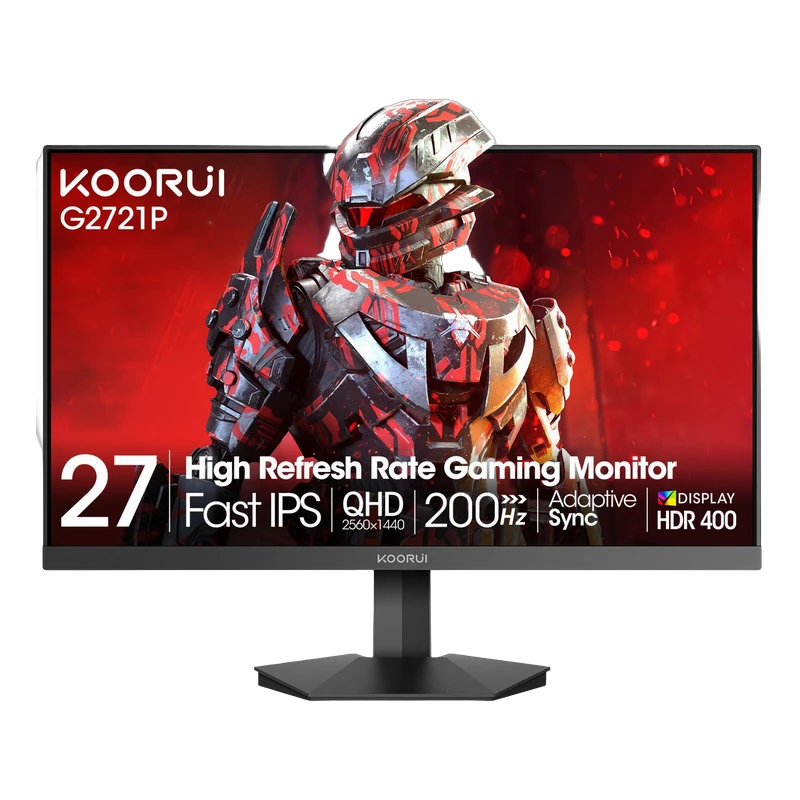
- 1440p at 27″: about 109 ppi. The desktop sweet spot: sharp text at 100% scaling and no scaling problems in any application.
- 4K at 27″: about 163 ppi. Needs 150% scaling in Windows for readable text, which gives you the working space of 1440p with much sharper text and images.
- 1440p at 32″: about 92 ppi. The same density as 1080p at 24″, so text is fine at 100% but not crisp.
- 4K at 32″: about 138 ppi. Sharp at 125% to 150% scaling, and the most comfortable 4K size for desktop work.
The scaling trade-off
Windows scaling is not free. At 150% on a 4K 27″ panel, everything is drawn with 4K pixels but laid out as if the screen were 2560 × 1440, so you get the same room for windows as a 1440p monitor, just sharper. Most current software scales cleanly; a few older programs come out blurry or with mismatched fonts. If you want more working space rather than sharper text, 1440p at 27″ or 32″ at 100% is the simpler choice; if you want the sharpest text and photos and can carry the GPU cost, 4K is the one.
What this means for games
Competitive players mostly stay at 1080p on a 24″ or 25″ panel. The pixel count is low, so the same graphics card produces higher and steadier frame rates, and the small panel keeps the whole image inside your field of view without moving your head. That is why the fastest panels in the range, the 200Hz to 320Hz models, are all 1080p at 24″ or 25″.
For single-player games, 1440p at 27″ is the usual balance between detail and frame rate. 4K is for people with a high-end card or a current console. The KOORUI G2741L covers both cases in one monitor: it is a dual-mode panel that runs 4K at 160Hz and switches to 1080p at 320Hz when you want frame rate instead of detail.
KOORUI models by size and resolution
| Size | Resolution | Density | Models (from Rs) |
|---|---|---|---|
| 24″ / 25″ | 1080p | about 92 ppi | 24E3 (Rs 31,999), E2411H (Rs 32,999), E2411K (Rs 34,999), G2511P (Rs 37,999), G2411P (Rs 38,999), G2511E (Rs 52,999); on our next shipment: G2511X (Rs 41,999) |
| 24″ | 1440p | about 123 ppi | G2421V (Rs 50,999) |
| 27″ | 1080p | about 82 ppi | E2712K (Rs 35,999), GN06 (Rs 38,999), G2711P (Rs 47,999) |
| 27″ | 1440p | about 109 ppi | G2721P (Rs 61,999), G2722P (Rs 67,999), S2721XO (Rs 173,999); on our next shipment: G2721E (Rs 71,999), S2721PM (Rs 89,999) |
| 27″ | 4K | about 163 ppi | N07 (60Hz, Rs 58,999), G2741L (Rs 106,999), S2741LM (Rs 139,999) |
| 32″ (31.5″) | 1440p | about 92 ppi | 32E6QC (Rs 69,999); on our next shipment: G3221SC (Rs 69,999) |
| 32″ (31.5″) | 4K | about 138 ppi | S3241XO (Rs 304,999) |
| 34″ ultrawide | 3440 × 1440 | about 110 ppi | G3441XC (Rs 98,999); on our next shipment: 34E6UC (Rs 89,999) |
| 49″ super-ultrawide | 5120 × 1440 | about 109 ppi | S4941XO (price on request) |
Ultrawide and super-ultrawide
The 34″ 3440 × 1440 panels have the same vertical resolution and about the same density as 1440p at 27″, just wider: think of them as a 27″ 1440p monitor with a third more screen on the sides. The 49″ 5120 × 1440 KOORUI S4941XO is two 27″ 1440p monitors side by side with no bezel between them. At 4.95 and 7.37 million pixels, plan the graphics card for them the way you would for something between 1440p and 4K. A games console shows a 16:9 image with black bars on an ultrawide, so these are PC monitors first.
Quick recommendations
- Esports, or a mid-range graphics card: 1080p at 24″ or 25″. The G2511P at 200Hz, or the 24E3 as the cheapest way in.
- Games and desktop work on one screen: 1440p at 27″. The G2721P is the one to start from.
- Text, photo and video work with no gaming: 4K at 27″ with 150% scaling. The N07 is the 60Hz work panel at the lowest price.
- Everything, including a console: 4K at 27″ or 32″ with a fast panel, the G2741L, S2741LM or S3241XO.
- A big desk and a PC: the 32″ 1440p 32E6QC if you sit further back, the 34″ G3441XC if you want width.
Put any two models side by side on the compare page, or message us on WhatsApp at +92 300 1566784 or [email protected] with your graphics card and desk size. Everything in the shop carries the 36-month warranty serviced in Pakistan.